Semble
A Sublime Text plugin that integrates the semble CLI tool for semantic code search and related-code discovery directly in your editor.
By
debjan
Created
Links
Versions
1.3.0
(>ST4049)
·
🪽 Semble
A Sublime Text plugin that integrates the semble CLI tool for semantic code search and related-code discovery directly in your editor.
Features
- Semantic search — query your code-base in natural language via the
semble searchCLI - Find related — discover semantically related code snippets
- Results open in a dedicated scratch view rendered as Markdown with syntax-highlighted code blocks
- Inline "find related" phantom links on each result for one-click chaining
- Optional Find Results tab output - native, clickable file/line navigation
Requirements
- Sublime Text 4
sembleCLI installed and on yourPATH(uv tool install semble)- An open Sublime Text project (or single folder window) or set
git_repo
Installation
- Clone or copy this package into your Sublime Text
Packages/directory:
git clone https://github.com/debjan/sublime-semble Semble
- Restart Sublime Text.
Usage
Semantic search
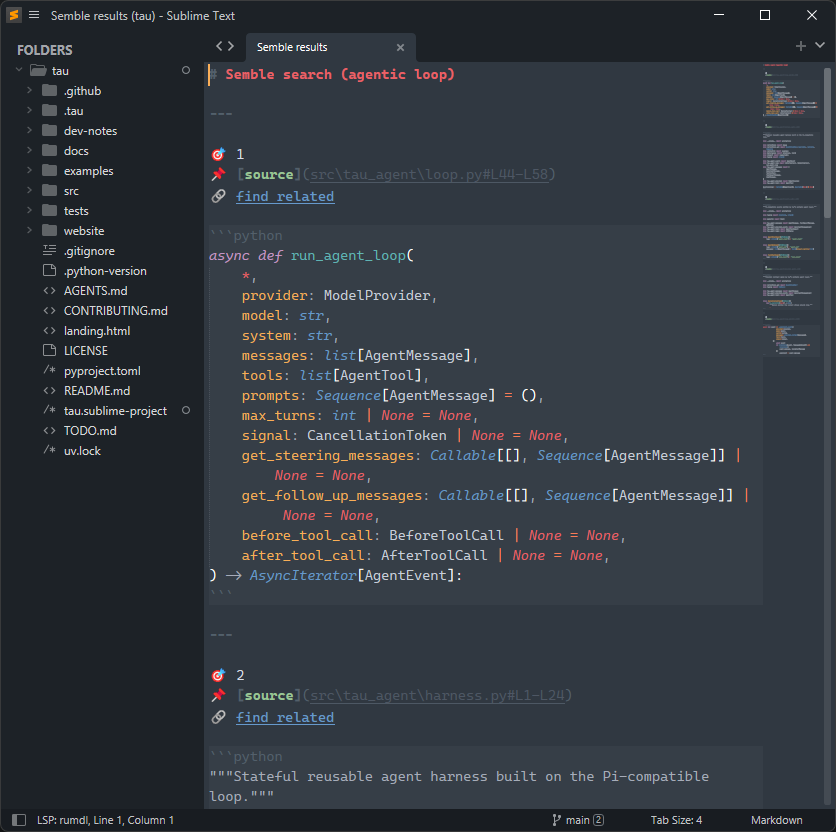
Open the Command Palette (Ctrl+Shift+P / Cmd+Shift+P) and type Semble. Run the search command and input panel appears:

Then type your query and press Enter
Find related
From the Command Palette, run Semble: Find Related to find code related to the current cursor position. You can also click the 🔗 find related link that appears beneath any result in the results view to chain searches.
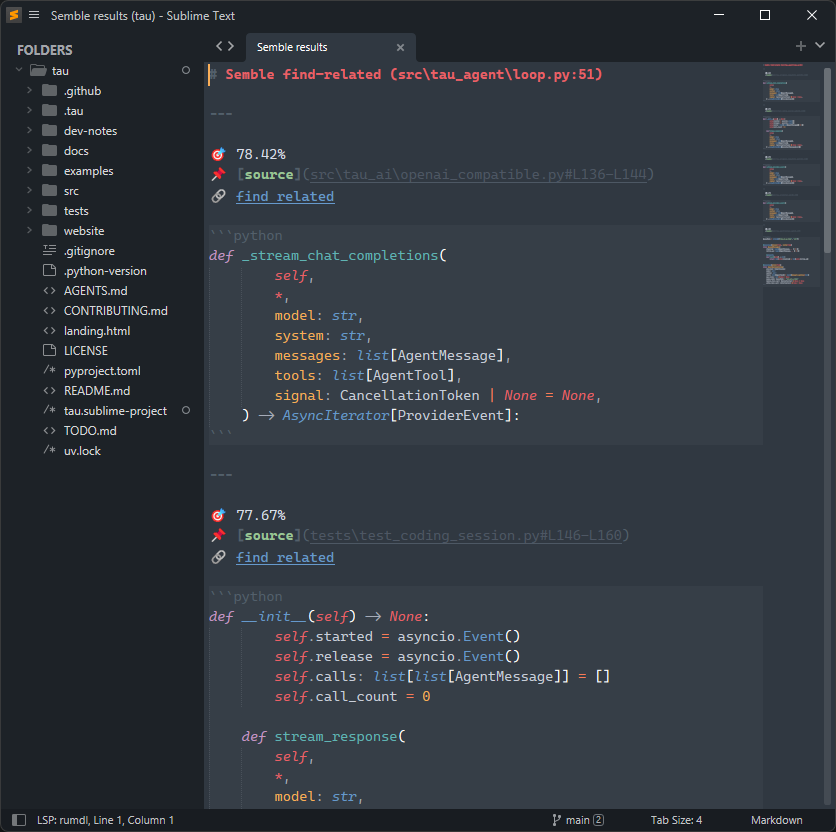
Results appear in a Semble results tab showing:
- 🎯 Rank (search) or cosine similarity score (find-related)
- 📌 Source file and line range
- 🔗 Find-related link
- Syntax-highlighted code block