Jester
By
absszero
Created
Installations:
recent average 0 per week,
153 in total
Installations minus removals
Upgrades
Installations minus removals
Upgrades
- 153 installs
- 2 stars
Links
Version
1.0.66
(>ST3091)
·
Jester

A Jest test runner
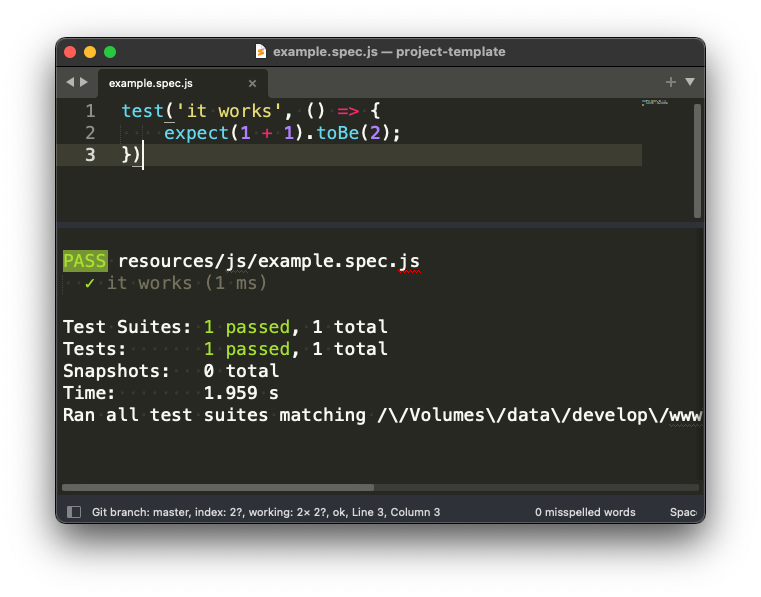
Installation
Package Control
Tools>Command Palette, then selectPackage Control: Install Package- Type
Jester
Commands
Tools > Command Palette, and select following commands:
Jester: Test SuiteRun the whole test suite by current actived file.Jester: Test FileRun all tests by current actived file.Jester: Test BlockRun the test block by the cursor location.Jester: Test LastRun the last test.
Key Bindings
Tools > Command Palette, then select Preferences: Jester Key Bindings.
Add your preferred key bindings.
[
    { "keys": ["ctrl+shift+s"], "command": "jester_test_suite" },
    { "keys": ["ctrl+shift+f"], "command": "jester_test_file" },
    { "keys": ["ctrl+shift+b"], "command": "jester_test_block" },
    { "keys": ["ctrl+shift+l"], "command": "jester_test_last" }
]
Configuration
Tools > Command Palette, then select Preferences: Jester Settings.
    // Show debug information
    "debug": false,

    // The jest execution is used when running tests. The default is looking for
    // the jest execution found on the node_modelus/.bin in the working directories.
    // "jest_execution": "/usr/local/bin/jest",
    // "jest_execution": "%USERPROFILE%\AppData\Roaming\npm\jest.cmd",

    // Jest CLI Options.
    // https://jestjs.io/docs/cli
    // e.g. `{"json": true, "outputFile": "filename.out"}`
    "jest_options": {}
Credits
Based initially on, and inspired by, gerardroche/sublime-phpunit.