Intellekt
A sublime text plugin that attempts to provide intellisense for various programming languages
By
Taiwo Kareem
Created
Installations minus removals
Upgrades
- 3,015 installs
- 17 stars
Links
Versions
0.2.1
·
Intellekt
Turn your sublime text into an intelligent autocomplete engine. It works offline for Python, Java, JavaScript, TypeScript, Go, Rust, C/C++, C#, PHP, Ruby, Perl, MATLAB, CSS and HTML.
Screenshots
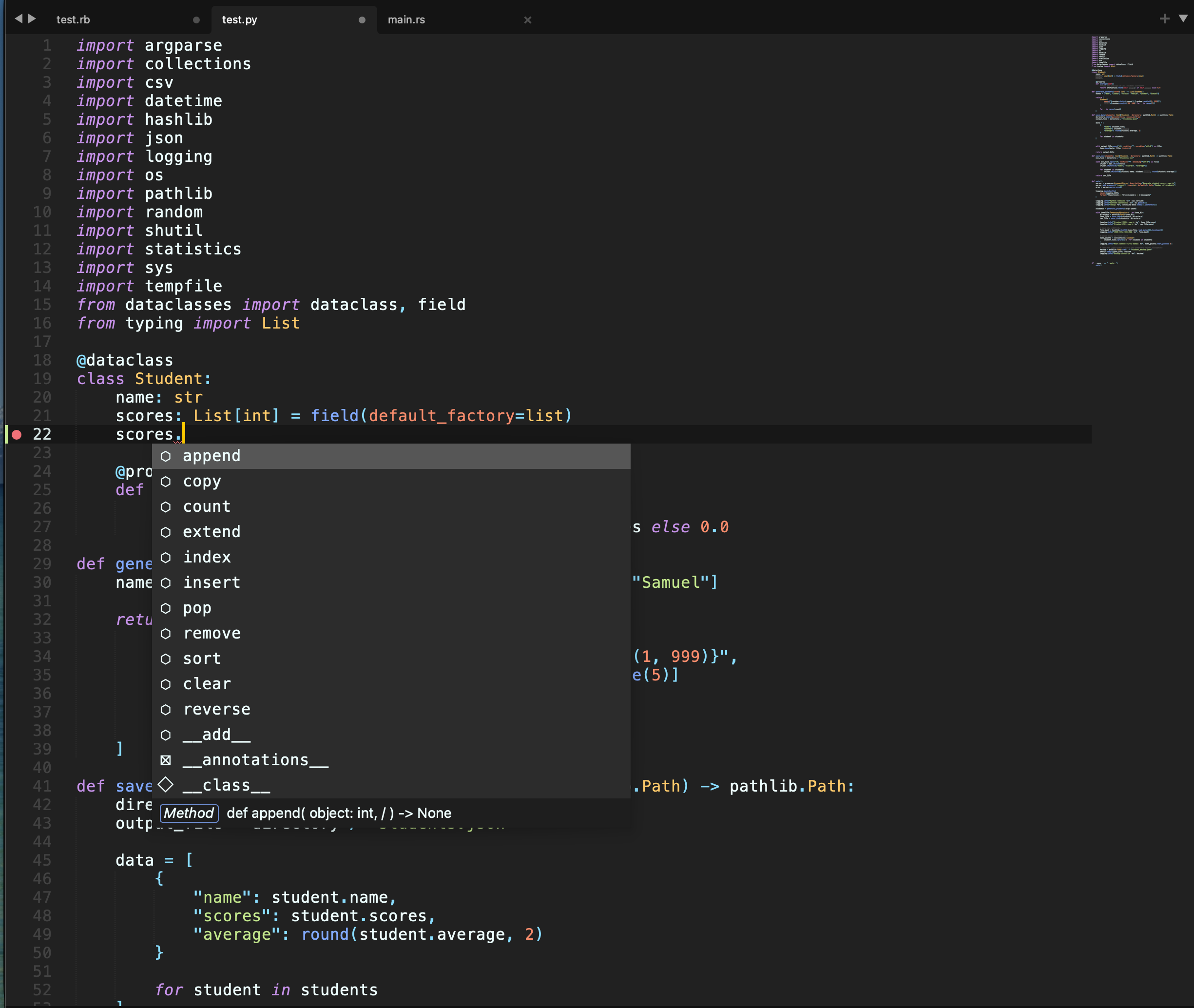
Completions with simple icons, the signature and docs
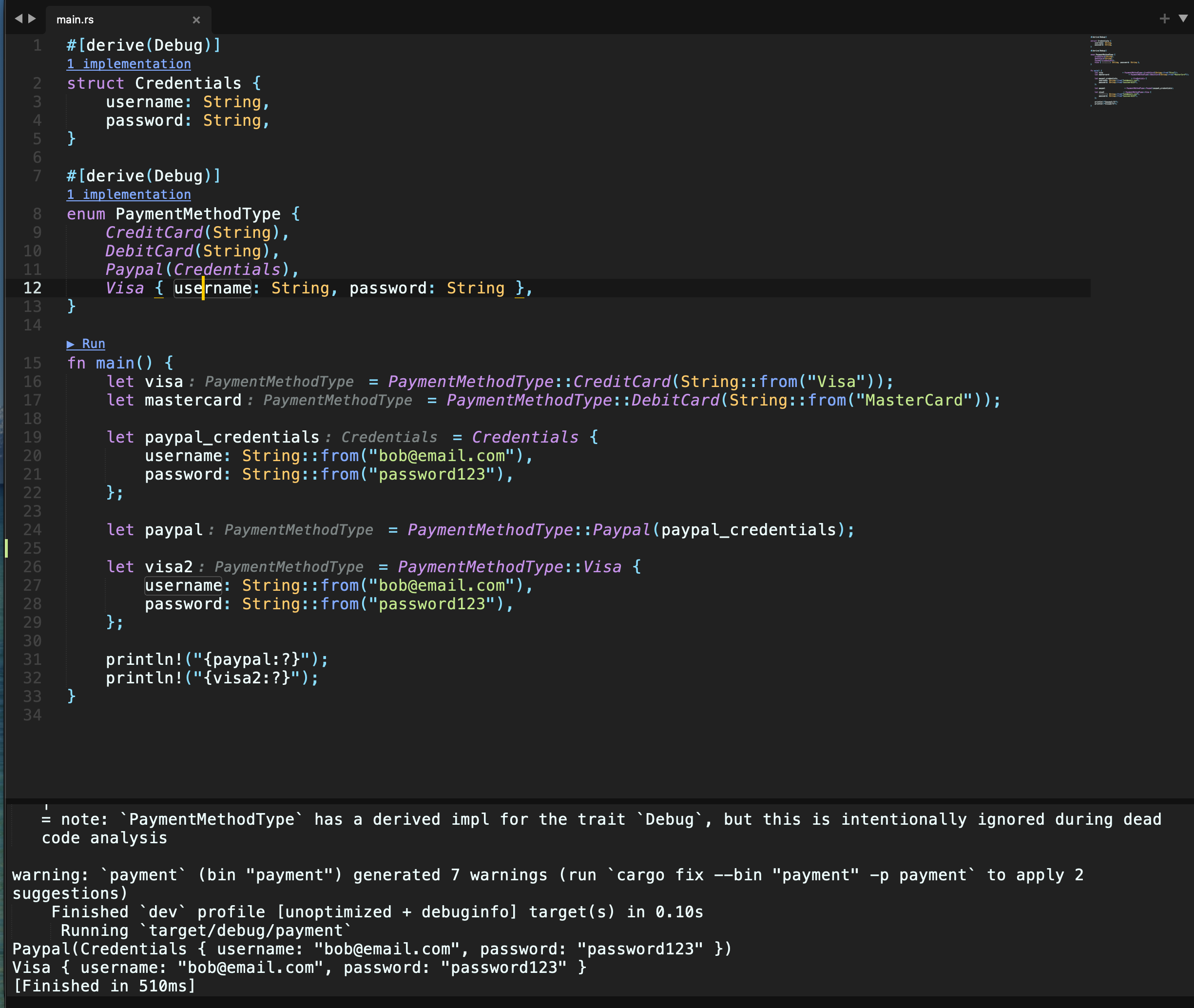
Rust: inline types and parameter names, ▶ Run links and the build output
 |
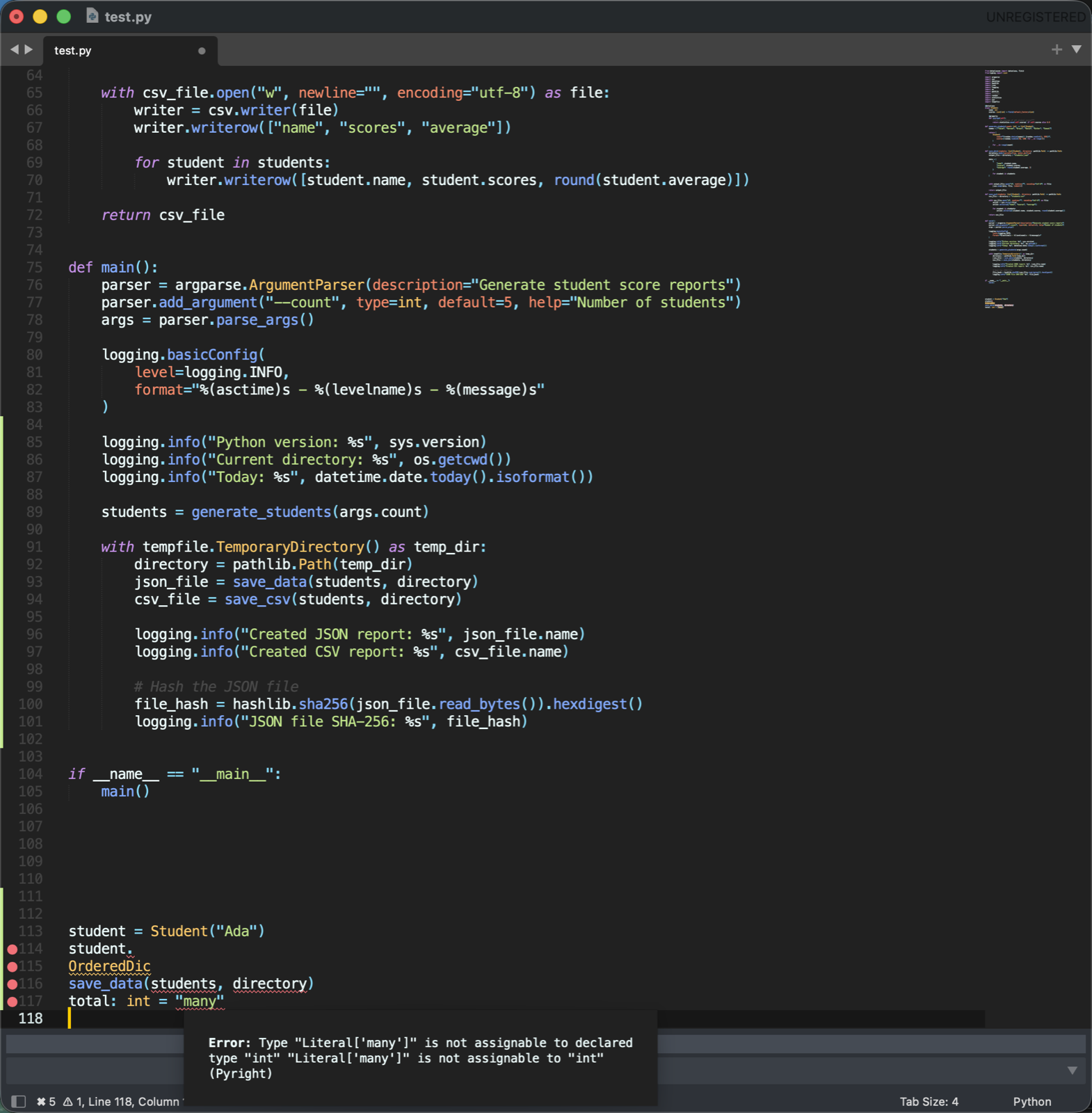 |
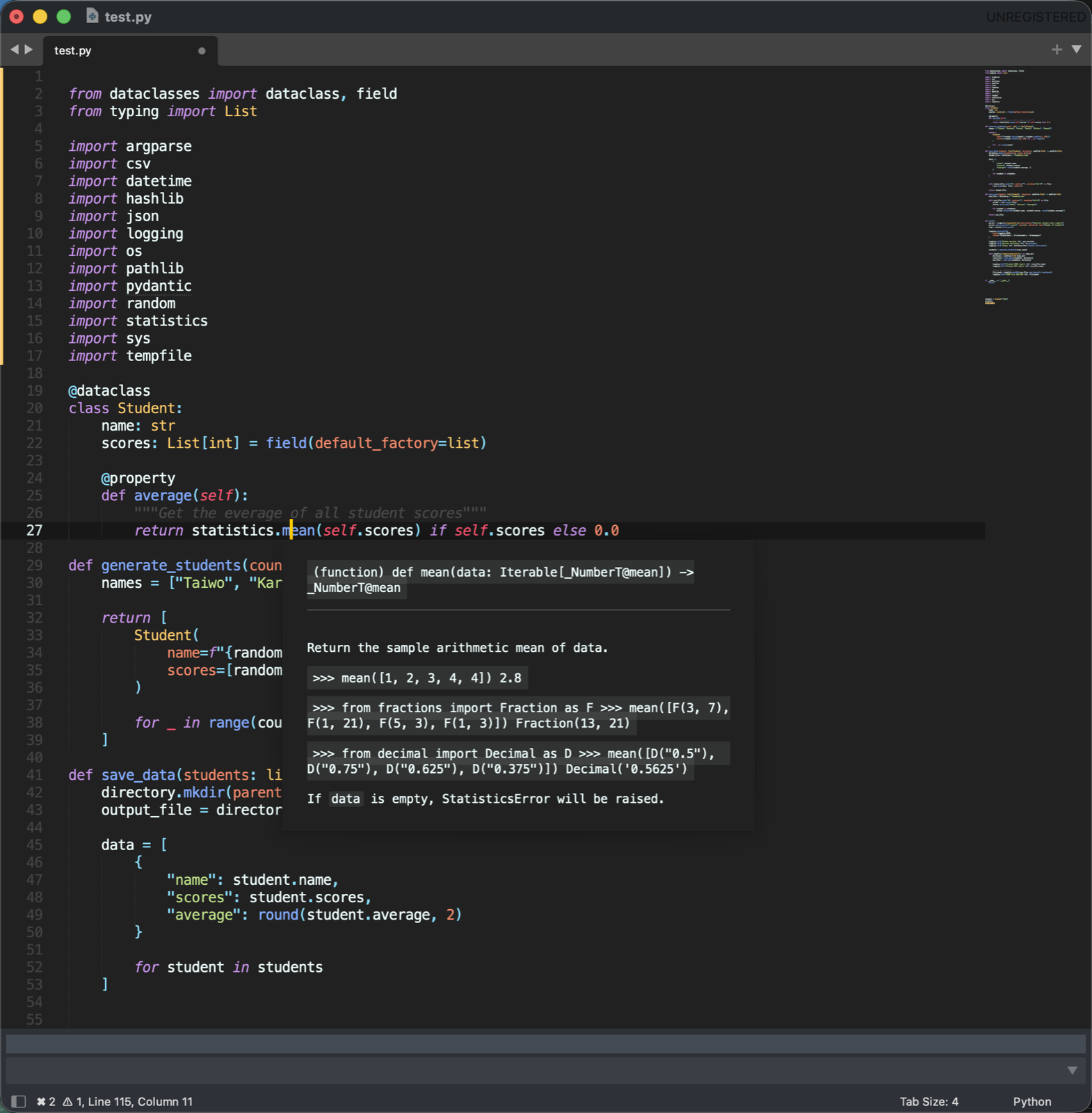
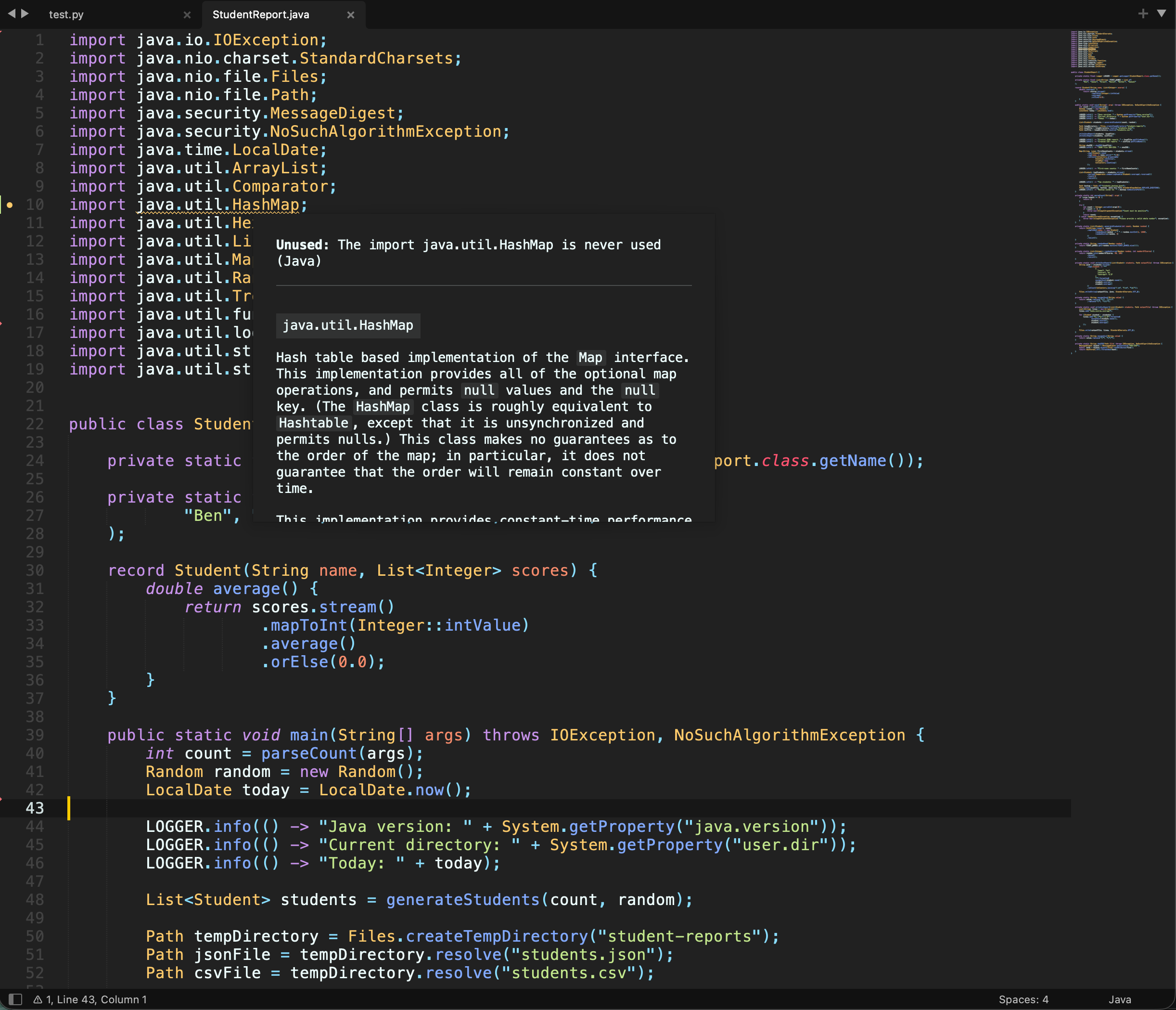
| Hover for documentation | Errors underlined as you type, with the message on hover |
 |
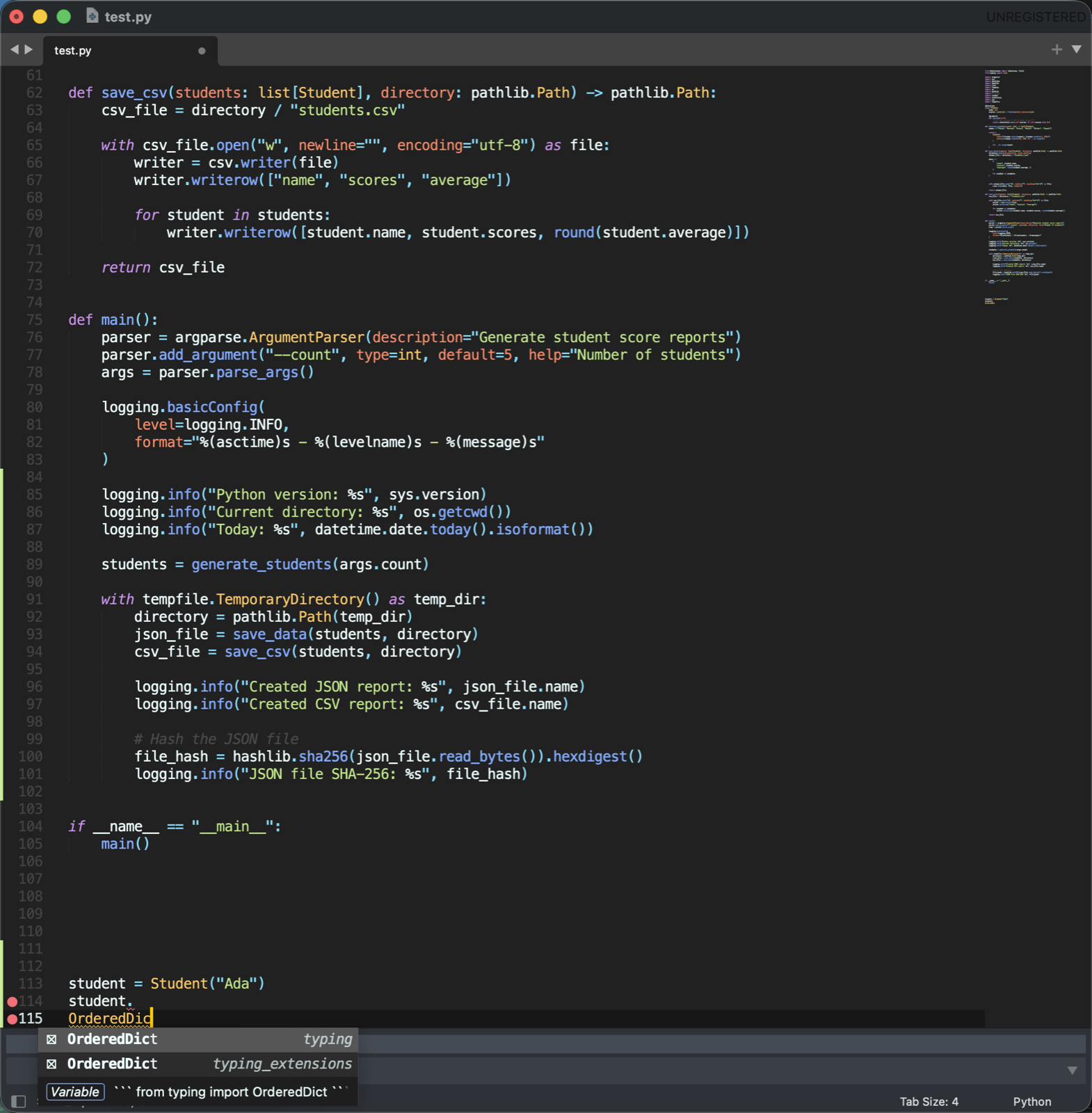 |
| Unused code marked, with the reason and docs on hover | Auto-import: picking OrderedDict adds its import |
 |
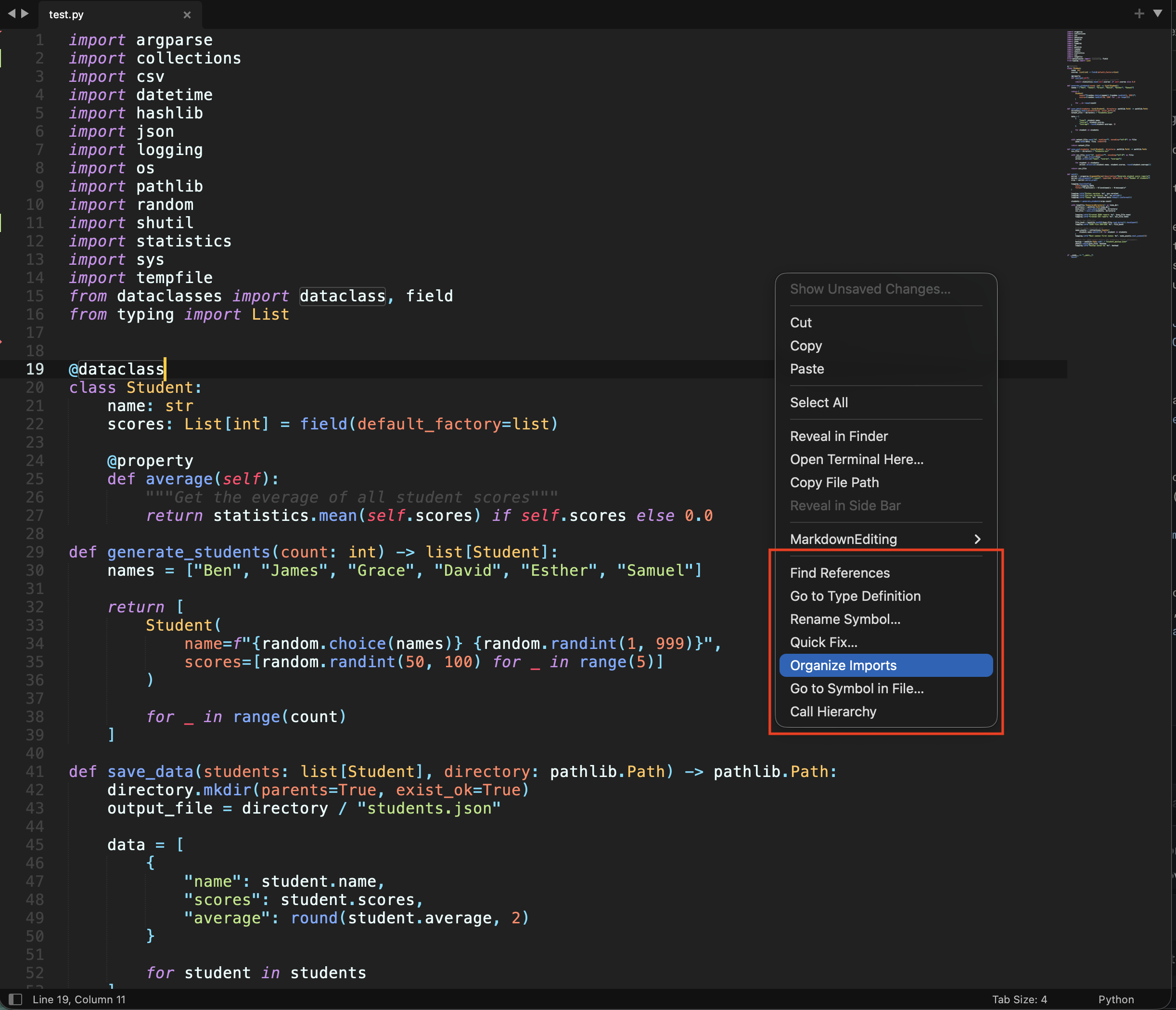 |
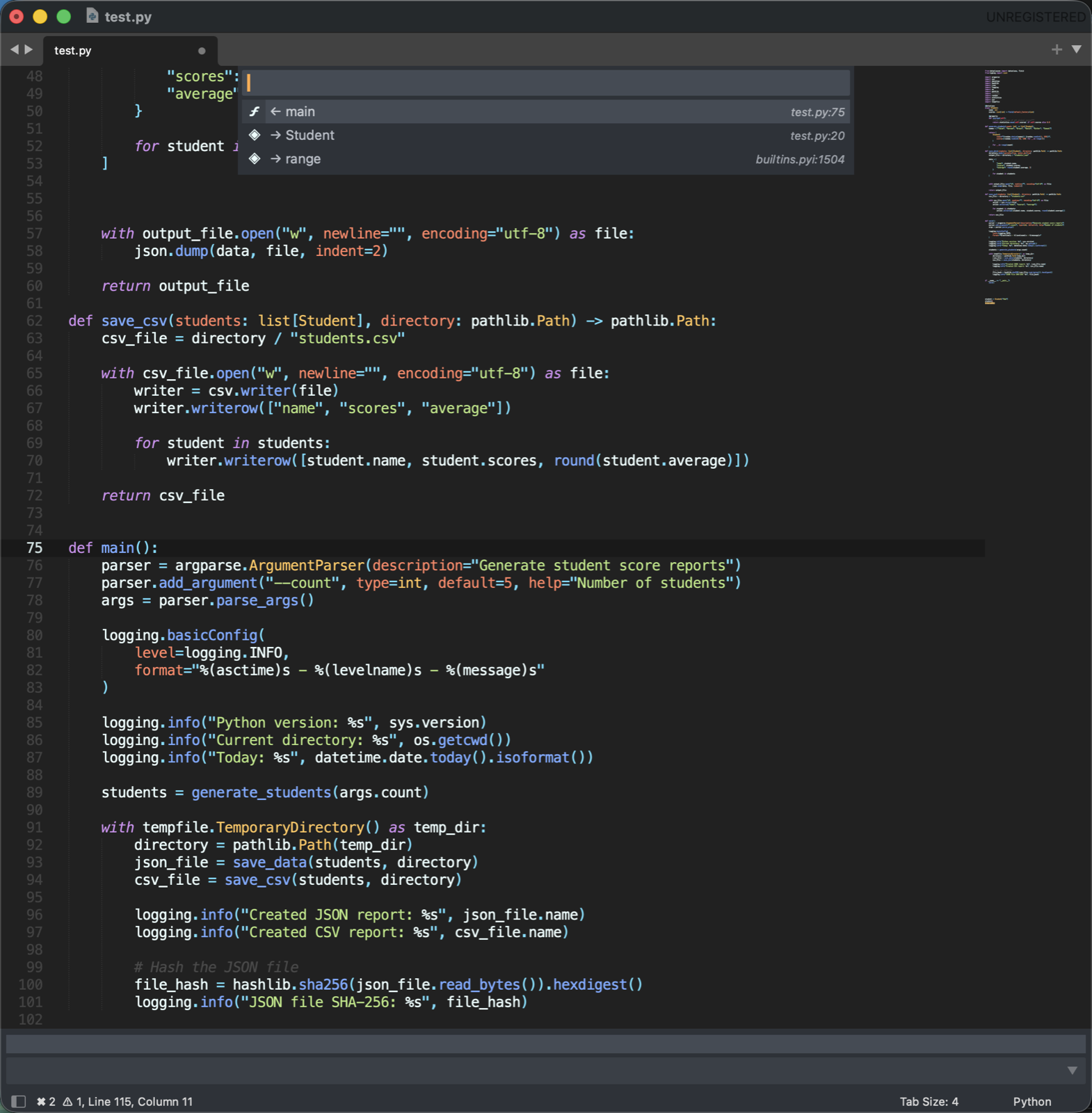
| Call hierarchy: who calls a function, and what it calls | Right-click menu with the code actions |
How it works
On startup, Intellekt reads the languages already installed on your computer and builds an index from them. Suggestions come from that index.
If a language server is installed, Intellekt uses it instead, because it gives smarter suggestions. If the server is missing or slow, the index takes over. A server also underlines errors and warnings as you type. Hover over a squiggle to read the message.
Features
Works out of the box
- Autocomplete for the standard library and installed packages of 14 languages.
- Hover over a name to read its documentation.
- Python: typing part of a module you have not imported (
pathl) suggests it (pathlib). Picking it addsimport pathlibbelow your other imports. - Finds your project's Python virtual environment and suggests its packages.
- Finds tools installed with Homebrew, nvm, Go, Cargo and similar, even when Sublime is opened from the Dock.
With a language server installed (Recommended)
- Smarter suggestions that understand your own code, plus docs in the suggestion list.
- Auto-import: picking a name you have not imported adds the import.
- Errors and warnings underlined as you type, with the count in the status bar. Unused imports, variables and deprecated code get a gray squiggly underline and a gutter circle, and the status bar counts them (
◌ 3 unused). Hover to read why. - Parameter help while you type a call.
- The name under the cursor is outlined everywhere it is used.
- Inlay hints: faint inline types and parameter names (C/C++, Rust).
- Code lens: links such as ▶ Run, ▶ Run Test and 3 references above functions (Rust, Ruby). Run opens Sublime's build panel.
- Document links:
#includepaths and similar are underlined. Hover one to open it. - Go to definition, type definition, declaration and implementation. Find references. Rename across files.
- Format the file or the selection, optionally on save or as you type. Python uses ruff or black (pyright cannot format).
- Quick fixes and organize imports (when the server has them). Python organize imports uses ruff or isort.
- Expand or shrink the selection by syntax: word, expression, statement, block.
- Fold the server's code blocks, imports or comments.
- Go to a symbol in the file or project. See who calls a function (call hierarchy) and a type's parents and children (type hierarchy).
- C/C++: switch between source and header.
- Off by default: dimming of C/C++ code left out by
#if, and experimental semantic highlighting (server-based coloring).
Shortcuts. Intellekt adds no key bindings by default, except that F12 and Shift+F12 use the language server. These VS Code-style shortcuts are ready to copy: open Preferences → Package Settings → Intellekt → Key Bindings (or Preferences: Intellekt Key Bindings in the Command Palette) and paste the ones you want from the left file into your own key bindings on the right.
| Action | Mac | Windows | Linux |
|---|---|---|---|
| Go to definition | F12 | F12 | F12 |
| Go to implementation | Cmd+F12 | Ctrl+F12 | Ctrl+F12 |
| Find references | Shift+F12 | Shift+F12 | Shift+F12 |
| Rename symbol | F2 | F2 | F2 |
| Quick fix | Cmd+. | Ctrl+. | Ctrl+. |
| Format document | Shift+Alt+F | Shift+Alt+F | Ctrl+Shift+I |
| Organize imports | Shift+Alt+O | Shift+Alt+O | Shift+Alt+O |
| Expand / shrink selection | Ctrl+Shift+Cmd+→ / ← | Shift+Alt+→ / ← | Shift+Alt+→ / ← |
| Go to symbol in file | Cmd+Shift+O | Ctrl+Shift+O | Ctrl+Shift+O |
| Go to symbol in project | Cmd+T | Ctrl+T | Ctrl+T |
| Call hierarchy | Shift+Alt+H | Shift+Alt+H | Shift+Alt+H |
| Parameter help | Cmd+Shift+Space | Ctrl+Shift+Space | Ctrl+Shift+Space |
With a binding added, a key in a file without a language server still does what it normally does in Sublime. Everything is also in the Command Palette under Intellekt:, including on/off toggles for each feature. The right-click menu shows Intellekt's actions in files with a language server; set "context_menu": false to hide them.
Quick fixes and organize imports depend on the server. gopls, clangd and rust-analyzer have them. pyright does not. If no Python tool is found, the status bar says which one to install.
Language servers (Recommended)
Install a server only for the languages you use. After installing one, run Intellekt: Restart Language Servers or restart sublime text.
Same command on Mac, Windows and Linux
| Language | Install | Needs |
|---|---|---|
| Python | npm i -g pyright |
Node.js |
| JavaScript / TypeScript | npm i -g typescript (TypeScript 7 includes its server. On older versions also install typescript-language-server) |
Node.js |
| PHP | npm i -g intelephense |
Node.js |
| HTML and CSS | npm i -g vscode-langservers-extracted |
Node.js |
| Rust | rustup component add rust-analyzer |
rustup |
| Go | go install golang.org/x/tools/gopls@latest |
Go |
| Ruby | gem install ruby-lsp |
Ruby |
| C# | dotnet tool install -g csharp-ls |
.NET SDK |
| Python import sorting | pip install ruff |
Python |
Different per system
| Need | Mac | Windows | Linux (Debian/Ubuntu) |
|---|---|---|---|
| Node.js (for npm) | brew install node |
winget install OpenJS.NodeJS.LTS |
sudo apt install nodejs npm |
| C / C++ (clangd) | xcode-select --install |
winget install LLVM.LLVM |
sudo apt install clangd |
| Java (jdtls) | brew install jdtls |
see below | see below |
Java on Windows or Linux
jdtls is heavy, so it is only worth it for real Maven or Gradle projects. It needs Java 21 or newer and Python 3.
- Download the latest
jdt-language-server-*.tar.gzfrom download.eclipse.org/jdtls/milestones. - Unpack it to a folder of its own:
- Windows:
C:\Tools\jdtls - Linux:
~/.local/share/jdtls(mkdir -p ~/.local/share/jdtls && tar -xzf jdt-language-server-*.tar.gz -C ~/.local/share/jdtls)
- Windows:
- Put its
binfolder on your PATH:- Windows: add
C:\Tools\jdtls\binin Settings → System → About → Advanced system settings → Environment Variables → Path. - Linux:
ln -s ~/.local/share/jdtls/bin/jdtls ~/.local/bin/jdtls
- Windows: add
- Check it works: run
jdtls --helpin a new terminal, then restart Sublime Text.
If a server is not found
- Open a new terminal and run the server's name, for example
pyright-langserver --version. If that fails, the install folder is not on your PATH. - Intellekt also looks in the usual install folders: npm's global folder,
~/go/bin,~/.cargo/bin,~/.dotnet/tools,~/.local/binand Homebrew. - Intellekt: Index Status lists which server it found for each language.
Python virtual environments
Intellekt finds your project's virtual environment (.venv, venv or env) and suggests the packages installed in it. If it picks the wrong one, set "python": {"executable": "/path/to/python"} in the settings.
Commands
Open the Command Palette (Cmd+Shift+P on macOS, Ctrl+Shift+P elsewhere):
- Intellekt: Rebuild Index: run this after you install new packages.
- Intellekt: Index Status: shows what was found.
- Intellekt: Restart Language Servers: run this after you install a server.
Settings
Open Preferences → Package Settings → Intellekt → Settings (or Preferences: Intellekt Settings in the Command Palette). Everything works without changes. Only set a value to override something.
Feature switches (apply to every language)
| Setting | Default | What it does |
|---|---|---|
lsp_enabled |
true |
Use installed language servers |
context_menu |
true |
Show Intellekt's actions in the right-click menu |
lsp_completion_timeout_ms |
1500 |
How long to wait for a server before showing built-in suggestions |
lsp_diagnostics |
true |
Underline errors and warnings |
lsp_signature_help |
true |
Parameter help while typing a call |
lsp_highlight_references |
true |
Outline other uses of the name under the cursor |
lsp_show_hints |
true |
Mark unused and deprecated code |
lsp_inlay_hints |
true |
Inline types and parameter names |
lsp_code_lens |
true |
Run / references links above functions |
lsp_document_links |
true |
Underline #include paths and links |
lsp_format_on_save |
false |
Format when saving |
lsp_format_on_type |
false |
Server fixes after typing ; or Enter |
lsp_semantic_highlighting |
false |
Experimental server-based coloring. Currently draws colored blocks, so leave off |
lsp_inactive_regions |
false |
Dim C/C++ code left out by #if |
Per language
Each language has its own block: python, java, ruby, javascript, typescript, csharp, go, php, rust, cpp, css, html, perl, matlab. A block can hold:
| Key | What it sets |
|---|---|
executable |
The program to use: Python, Ruby, Node.js (javascript), tsc (typescript), Go, PHP, rustc, Perl, MATLAB/Octave. For Python it overrides virtual environment detection |
java_home, sources |
Java: JDK folder, and extra source zips to index |
dotnet_root |
C#: .NET folder |
compiler |
C/C++: clang++org++ |
server |
null to auto-detect, a command such as ["pylsp"], or false to turn the server off |
settings |
Settings sent to the language server |
initialization_options |
Options sent when the server starts |
| any feature switch | The switch without lsp_, for this language only, e.g. "inlay_hints": false |
Example:
{
    "lsp_format_on_save": true,
    "python": {
        "executable": "/Users/me/projects/app/.venv/bin/python",
        "settings": {"python": {"analysis": {"typeCheckingMode": "strict"}}}
    },
    "rust": {
        "inlay_hints": false,
        "settings": {"rust-analyzer": {"check": {"command": "clippy"}}}
    },
    "cpp": {"server": false}
}