Color Highlight
🎨 Lightweight Color Highlight colorizer for Sublime Text
By
Kronuz
Created
Installations minus removals
Upgrades
- 319,840 installs
- 130 stars
Links
Version
1.2.4
·
🎨 Color Highlight
Warning
This package is unmaintained!
This package has been unmaintained since 2018 and has been transferred to the SublimeText organization for minimal maintenance. However, besides small bug fixes, there are no further plans for maintenance.
As an alternative, you may want to check out the much more modern Color Helper package.

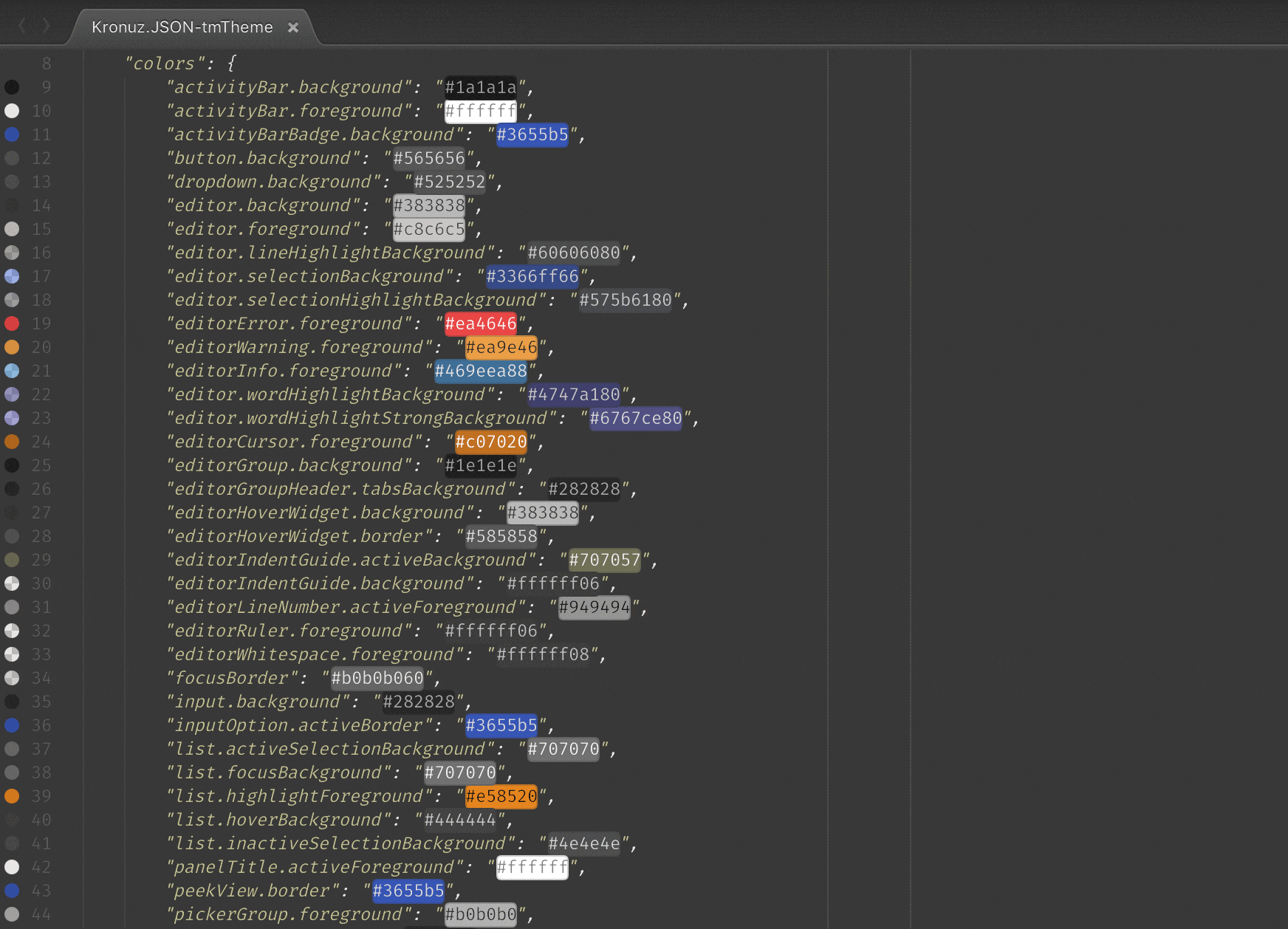
Show color codes (like "#ffffff", 0xffffff "rgb(255, 255, 255)", "white", hsl(0, 0%, 100%), etc.) with their real color as the background and/or gutter icons.
Installation
- Recommended - Using Sublime Package Control
- Ctrl+Shift+P then select
Package Control: Install Package - install
Color Highlight
- Ctrl+Shift+P then select
- Alternatively, download the package from GitHub into your
Packagesfolder and make sure to rename the directory to "Color Highlight".
Usage
Supported color representations are:
Named colors in the form of CSS3 color names e.g.
green,blackand many others are also supported.Hexademical in the form of
#RGB,#RGBA,#RRGGBBor#RRGGBBAA(you can use both upper and lower case letters)Hexadecimal numbers with prefix 0x in the form of
0xRRGGBBor0xRRGGBBAARBG or RGBA value in the form of
rgb(red, green, blue)orrgba(red, green, blue, alpha)with decimal channel valuesHSL or HSLA value in the form of
hsl(hue, sat%, lum%)orhsla(hue, sat%, lum%, alpha)HSV or HSVA value in the form of
hsv(hue, sat%, val%)orhsva(hue, sat%, val%, alpha)HWB value in the form of
hwb(hue, white%, black%)orhwb(hue, white%, black%, alpha)CIELAB (Lab) value in the form of
lab(lum, a, b)orlab(lum, a, b, alpha)Cylindrical CIELAB (LCH) in the form of
lch(hue, chroma, lum)orlch(hue, chroma, lum, alpha)ANSI escape sequences: 3/4 bit (8-color), 8-bit (256-color), 24-bit (true color) in the form of
\033[3Xm,\033[4Xm,\033[38;5;IIImor\033[38;2;RRR,GGG,BBBm. Escape part accepting "^[[", "\033", "\x1b[", "\u001b[" and "\e["
Those will be shown with colored background and gutter icons when they're found in your documents.
Configuration
You can disable live highlight directly from the command palette:
Color Highlight: Disable Color HighlightOpen settings using the command palette:
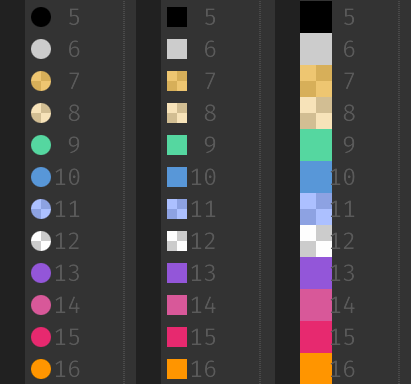
Preferences: Color Highlight Settings - UserGutter icons can be switched among three flavors (or disabled) by using the
gutter_iconsetting:- "circle" - Gutter icon with the color in a circle
- "square" - Gutter icon with the color in a square
- "fill" - Fill whole gutter with color
"user": {
  "gutter_icon": "fill"
}
Highlighting the value region in the color can be enabled or disabled by using the
highlight_valuessetting.Enabling/disabling coloring of different types of values can be configured.
License
Copyright (C) 2018 German Mendez Bravo (Kronuz). All rights reserved.
MIT license
This plugin was initially a fork of https://github.com/Monnoroch/ColorHighlighter